Features
Everything you need between an idea and a finished quilt.
Sashing is a set of calculators, a stash, a project tracker, and a designer that all share one set of defaults. Get the fabric math right, keep track of what you own, and see a layout in your own fabric before you cut a thing.
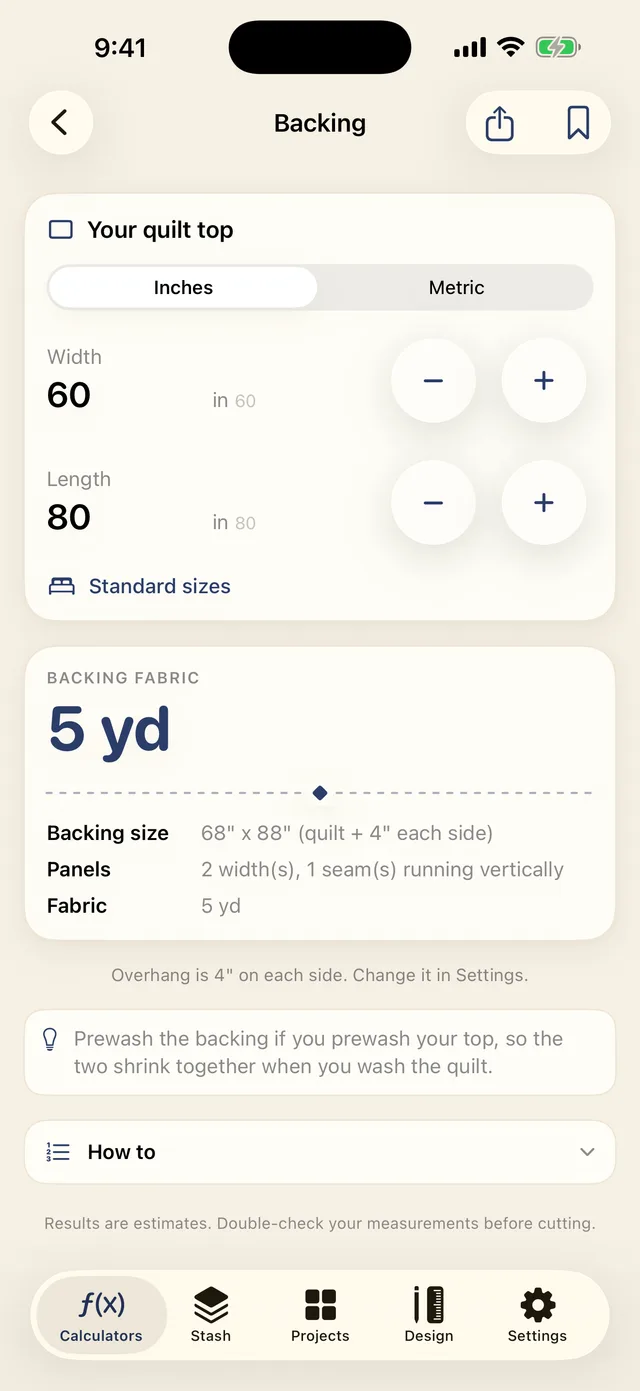
The calculator suite
Defaults that stop the miscut
Every calculator starts from settings you choose once: seam allowance, binding width, and usable fabric width. Those anti-miscut defaults mean the number you see already accounts for selvage trim and seams, so you cut once and cut right.
Each result shows its formula. You can check the working before you touch the rotary cutter, and change any input to watch the yardage update live. Twenty-four calculators in all — seven free forever, the rest in Premium — each with a short how-to underneath, standard quilt sizes one tap away, and lengths you can type as fractions like 2 1/2.
Any answer can go straight into a project's cut list, or out as a PDF, a CSV, or a share-ready card. Piecing units split their yardage by fabric, so a half-square triangle gives you a number for each of the two fabrics rather than one lump.
Free
Premium
The whole-quilt cut list
From a finished size to exact cuts
Tell Sashing your block grid, sashing, and borders. It gives back the finished size plus the exact cut sizes and counts for every piece, then the binding and backing yardage to match. One list, ready for the table.
A project's cut list also fills up as you work. Run the backing calculator, the binding calculator, or any block unit, choose Save to Project, and that part lands in the list with its own yardage. Run it again with a bigger quilt and it updates in place instead of stacking a duplicate.
Every piece, counted
Blocks, sashing strips, cornerstones, borders, and binding, each with a cut size and a count.
Yardage per fabric
Each part carries its own yardage, so the backing, the binding, and each block fabric are counted separately.
Export it clean
Take the list on your phone, or export a tidy PDF or CSV to print, share, or hand to a longarm quilter.
The fabric stash tracker
Know what you own before you buy more
Photograph each fabric, log its yardage, and tag it however you sort your stash. When a favorite runs low, Sashing flags it, so you can decide at the shop instead of guessing from memory.
- Photos — added one at a time or in bulk, named as a batch, with the dominant color tagged automatically
- Sort by name, color, amount or date, and filter by color, amount, width or collection
- Store mode — photograph a bolt in the shop and see whether you already own it and what on your shelf would go with it
- Yardage on hand, updated as projects deduct from it
- Low-stock flags, plus an optional gentle reminder before a shop trip
- Scan a bolt-end barcode to file a fabric (stored on device, never looked up online)
- Price per yard, so projects can total what they cost
- A wishlist and a scrap bin, searchable offline
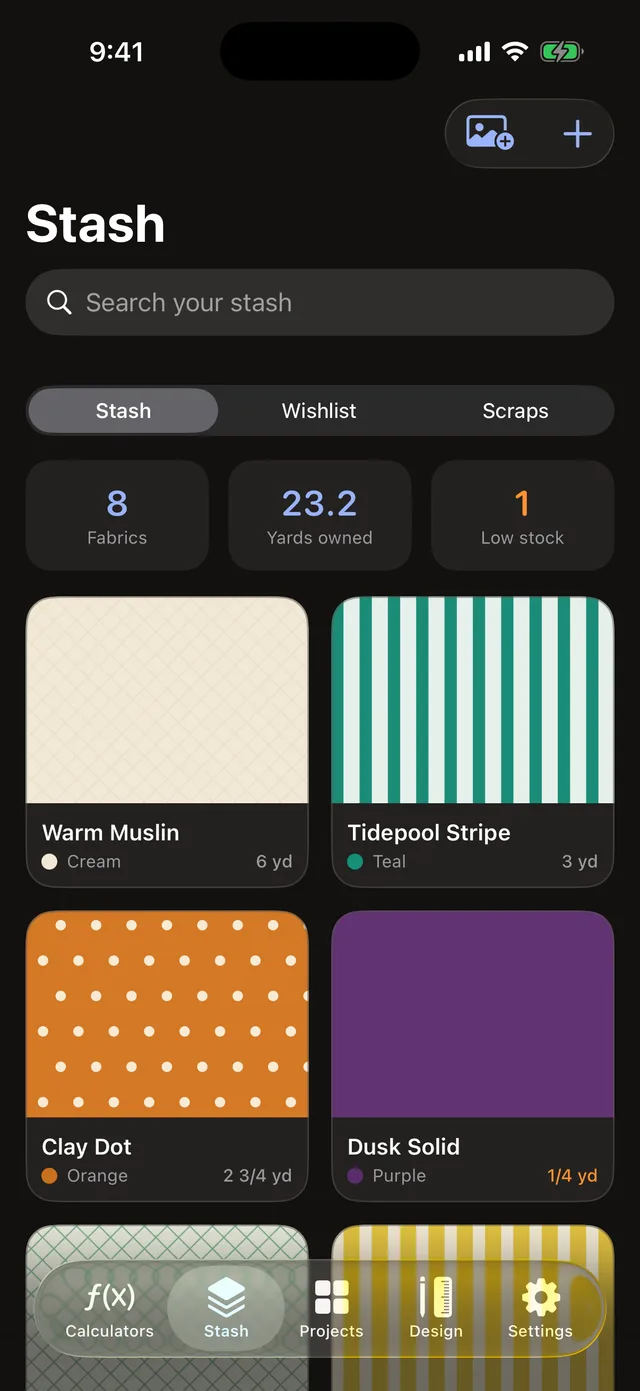
The shopping list
Buy what the quilt needs, not what you already own
This is where the calculators and the stash meet. Save a result into a project, point each part at the fabric you plan to use, and Sashing subtracts what is already on your shelf. What is left is the list you take to the shop — in yards or meters, rounded up to the eighth the cutting counter actually sells.
- Need, minus what you have: "need 5 yd, have 1¼ yd — buy 3¾ yd"
- Anything your stash already covers is marked covered and drops off the list
- A running total, costed from your own price per yard
- Parts still waiting on a fabric are listed separately, so nothing is forgotten
- The same list on your Apple Watch, and counted on the Home Screen widget
Already cut into the fabric? Deducting a project from your stash keeps the list honest: it remembers what you set aside instead of telling you to buy it twice.
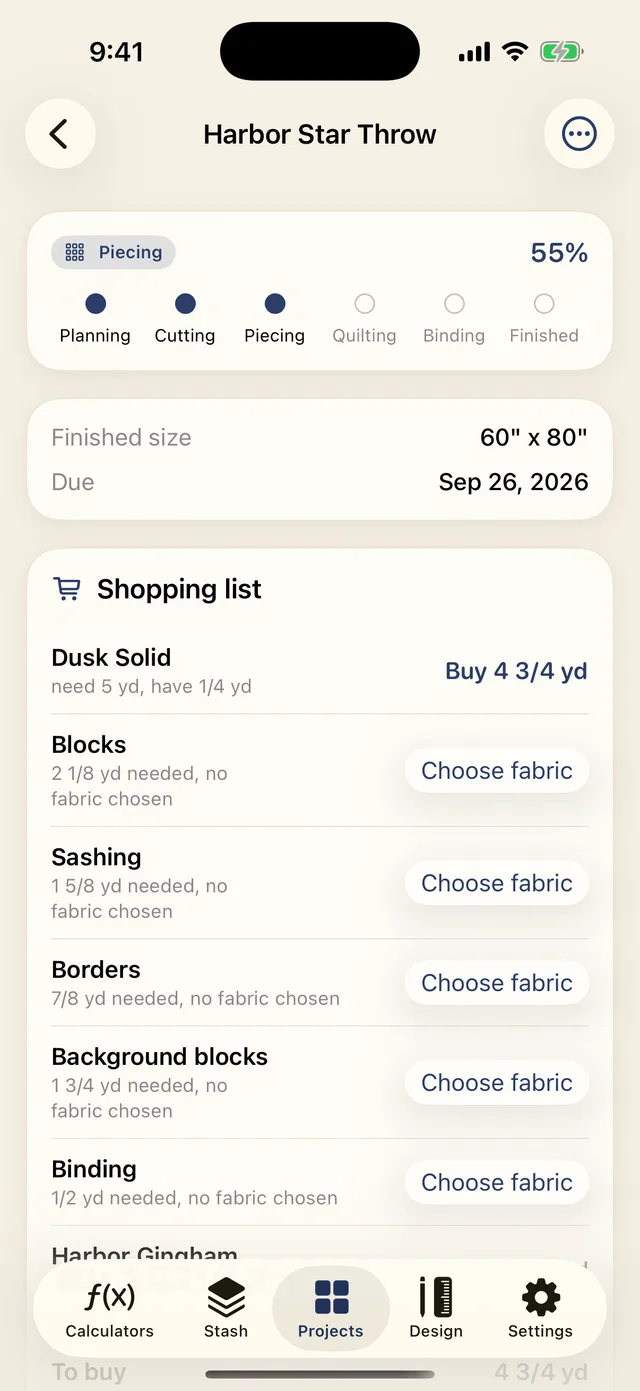
The project and UFO tracker
Finish the quilts you started
Every quilter has a few unfinished objects. Track each project from top to binding, note where you left off, and set a deadline. Sashing reminds you before a gift or a guild deadline sneaks up.
Stage by stage
Planning, cutting, piecing, basting, quilting, binding, labeling. See what is left and what is done at a glance.
Deadline reminders
Set a due date for a wedding or a show and get a nudge in time to finish.
Notes, fabrics, and budget
Keep the pattern, progress shots, and the fabrics from your stash with each project — with the cost rolled up from your per-yard prices.
Its own cut list
Every calculation you save lands here, part by part, with the yardage each one needs.
A shopping list
What the quilt still needs after your stash is counted, with a running total.
One project sheet
Export the whole thing as a PDF — photo, status, shopping list, fabrics, and every cut — to print or hand over.
And each December, Year in Quilts shows what you finished: the quilts, the yardage sewn, and the streaks worth being proud of.
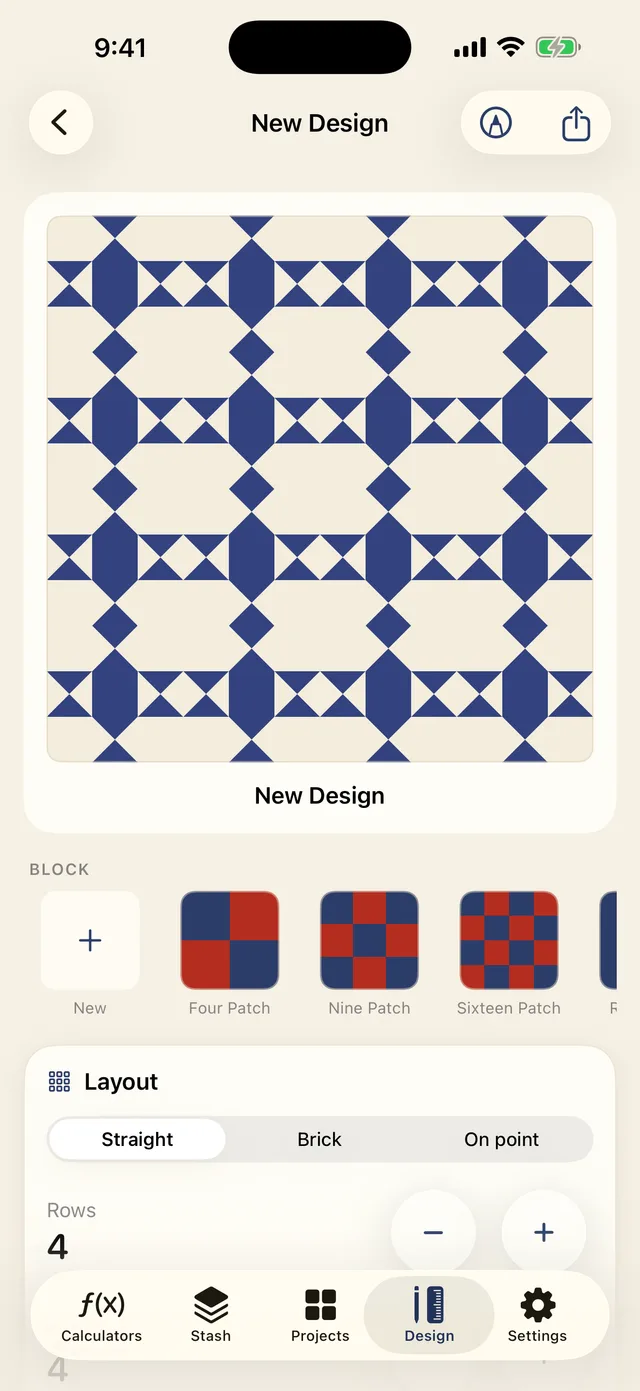
The quilt designer
See it in your own fabric first
Lay out a quilt from a library of traditional blocks, set your grid and sashing, then drop in the fabrics from your stash to preview the real thing. Change a color and the layout updates, so you commit before you cut.
When the design looks right, the cut list comes with it. No re-entering sizes into a separate calculator. Each fabric role gets its own section and its own yardage, so a design in three fabrics gives you three numbers — and if a role is set to a fabric from your stash, that part arrives on the shopping list already checked against what you own.
- Thirty traditional blocks, plus a block editor for drawing your own
- Straight, brick or on-point settings, with the setting triangles added to the cut list
- Sashing, cornerstones, and borders, reflected in the preview and the math
- What Can I Make? turns a jelly roll, a charm pack or a length of fabric into the quilts it will make, then opens the best one here
- Export a pattern PDF with the rendered layout and the full cut list
- Save the whole plan into a project, cut list and shopping list together
- Share a design as a file another Sashing quilter can open and edit
- A sketch pad for the ideas that start on paper
Beyond the calculators
The rest of what's in the box
Sashing goes where the quilting happens — the shop, the wrist, the iPad on the cutting table — and everything below ships with the app.
Home Screen widgets
Your active project, how many fabrics are still to buy, and a shortcut into the calculators.
Apple Watch app
Backing and binding math on your wrist, plus the shopping list for the quilt you are working on.
Siri Shortcuts
Ask for backing or binding yardage without opening the app.
iPhone and iPad
Universal, so one purchase covers both, and the layout keeps a comfortable reading width on the bigger screen.
Export from anywhere
PDF, CSV, or a share-ready cut card from any calculator, a pattern PDF from a design, and a project sheet for the whole quilt.
Share designs
Send a layout to a quilting friend as a file they can open and edit in their Sashing.
Backup and restore
A one-file backup of your whole stash and projects, alongside automatic iCloud sync.
Themes and profiles
Warm color themes, plus named preference profiles for quilters who switch seam allowances.
Inches or centimeters
Every calculator and every cut list works in imperial or metric.
Private by design
Yours, on your device
Sashing is built to work without a connection and without an account. Your stash and your projects stay on your phone and sync through your own iCloud, never through us.
Works fully offline
The calculators are on-device math. No signal needed at the shop or the cutting table.
No account, ever
There is no sign-up and no login. Nothing to remember, nothing to leak.
Your own iCloud
Stash and projects sync through your private iCloud, not our servers.
No ads, no tracking
Sashing does not sell your data or show you a single ad.
Get the fabric math right.
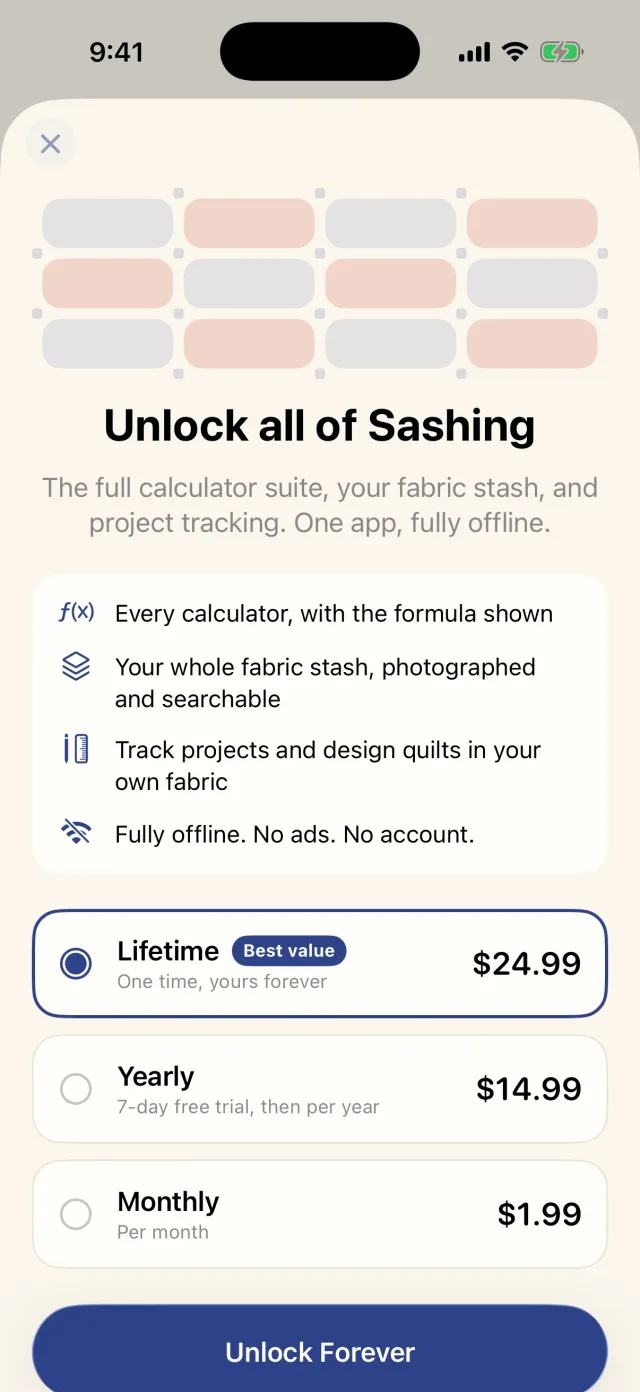
The core calculators are free on the web. The full suite, stash, tracker, and designer live in the app, with a one-time Lifetime unlock for quilters who would rather buy once.